Reed Switch Module (magnet controlled switch) - Composants et circuits électroniques
SUBTOTAL :

Follow Us

All products price_490.00 DA Sensors
Reed Switch Module (magnet controlled switch)

Reed Switch Module (magnet controlled switch)

All products price_490.00 DA Sensors
Short Description:

Product Description

This is a very simple module that contains a magnetic reed switch which will close its contacts when a magnet is placed nearby. The digital output pin will go high (+5V) when a magnetic field is in proximity. An on-board LED will also illuminate when the reed switch is closed. There is a potentiometer which appears to not serve much purpose, and which we believe is just there because the module is using generic circuit used designed for other modules.


Pinout
PIN 1: ANALOGUE OUT (?)
PIN 2: GND
PIN 3: VCC (+5V)
PIN 4: DIGITAL OUT
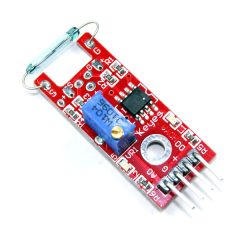


KY-025 Reed Switch Module for Arduino is a small electrical switch operated by an applied magnetic field, commonly used as proximity sensor.
The module has both digital and analog outputs. A trimmer is used to calibrate the sensitivity of the sensor.

Specifications

The KY-025 module consist of a 2x14mm normally open reed switch, a LM393 dual differential comparator, a 3296W-104 trimmer pontetiometer, six resistors and two LEDs. The board has an analog and a digital output.

Operating Voltage3.3V to 5.5V
Board Dimensions1.5cm x 3.6cm [0.6in x 1.4in]

Arduino KY-025 Connection Diagram

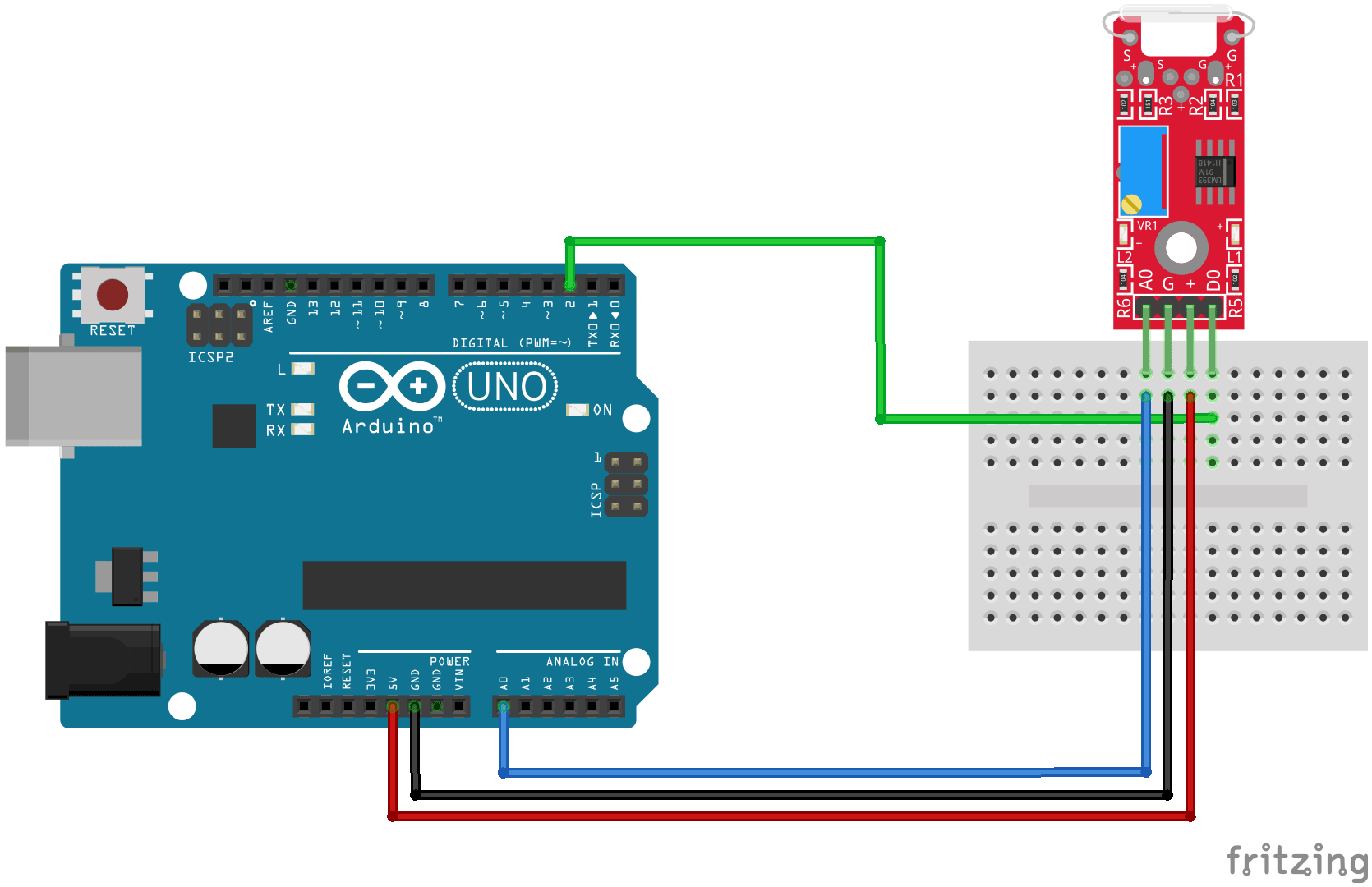
Connect the board's analog output (A0) to pin A0 on the Arduino and the digital output (D0) to pin 3. Connect the power line (+) and ground (G) to 5V and GND respectively.
KY-025Arduino
A0A0
GGND
+5V
D03


Arduino KY-025 connection diagramclick to enlarge

KY-025 Example Code

In this Arduino sketch we'll read values from both digital and analog interfaces on the KY-025, you'll need a magnet to interact with the module.
The digital interface will send a HIGH signal when a magnetic field is detected, turning on the LED on the Arduino (pin 13).
On the other hand, the analog interface will return a HIGH numeric value when there's no magnetic field present and it'll drop to zero when a magnet is near.

int led = 13; // define the LED pin
int digitalPin = 3; // KY-025 digital interface
int analogPin = A0; // KY-025 analog interface
int digitalVal; // digital readings
int analogVal; //analog readings

void setup()
{
  pinMode(led, OUTPUT);
  pinMode(digitalPin, INPUT);
  //pinMode(analogPin, OUTPUT);
  Serial.begin(9600);
}

void loop()
{
  // Read the digital interface
  digitalVal = digitalRead(digitalPin); 
  if(digitalVal == HIGH) // if magnetic field is detected
  {
    digitalWrite(led, HIGH); // turn ON Arduino's LED
  }
  else
  {
    digitalWrite(led, LOW); // turn OFF Arduino's LED
  }

  // Read the analog interface
  analogVal = analogRead(analogPin); 
  Serial.println(analogVal); // print analog value to serial

  delay(100);
}

0 Reviews:

Post Your Review